Foboma — the all-in-one ERP for restaurants, cafés, cloud kitchens and catering businesses. Procurement, inventory with weighted-average cost, billing, CRM, HR and payroll in one login.
The all-in-one ERP built for restaurants, cafés, cloud kitchens, and catering — procurement, inventory with weighted-average cost, billing, CRM, HR and payroll, all in one login. Built for hospitality, not retrofitted.
From the kitchen to the cash counter

Sample data — real screens, illustrative business, names and figures
Today's Brief. Your kitchen's numbers.
Each role sees the KPIs that matter to them, with month-over-month comparisons built in. Revenue, low-stock ingredients, staff attendance — one screen, no dashboards to configure.
Most ERPs are accounting tools bent to fit. Foboma is built for the kitchen.
Ten decisions that make Foboma feel different the moment you open it.
What each platform pays you
Zomato says one number. Your bank says another. Foboma shows you what each platform reports paying after commission, payment fees and ads, from the file the platform gives you. Upload the Petpooja Orders Master Report and the Zomato and Swiggy settlement files. Foboma takes each platform's sales, fees and net payout from that platform's own file, and keeps the POS rows for those platforms for comparison, so no order is counted twice.
Missing isn't zero
A month you haven't uploaded shows a dash, not ₹0.00 — because missing isn't zero. The year view tells you what it's working from, like 'data from 11 Jun 2026 · 3 months', instead of comparing two periods that can't be compared.
Overdue on their terms
Overdue means past their terms, not yours. Set payment terms per customer and supplier, and the dashboard, the WhatsApp digest you send from Today's Brief and your invoice lists all agree on who's actually late.
Hospitality-native
Menus, brands, kitchens and catering — modelled the way a food business actually runs, not a generic accounting tool retrofitted to fit.
Weighted-average cost
A weighted-average cost on every material, updated at each receive, with wastage valued at that cost, and a food-cost percentage from your food bills and monthly revenue.
Multi-brand, side by side
Run several brands under one organisation, with platform IDs (Zomato, Swiggy) per brand. Compare brands and channels side by side on revenue, platform commission and net payout, and view BI analytics for any one brand.
Give billing staff access to sales and payments only
Granular per-feature permissions, not all-or-nothing roles.
Click-to-chat WhatsApp
Share POs, invoices and proposals straight to WhatsApp via wa.me links. No Meta API setup, no approvals, no monthly fees.
Keyboard shortcuts
Keyboard shortcuts open the common entries from any page: Alt+E records an expense, Alt+R receives stock, Alt+P records a customer payment, Alt+B records a supplier bill, Alt+Q starts a proposal; Escape closes a dialog.
GST, payroll and expiry tracking
CGST, SGST and IGST on invoices, PF, ESIC and professional tax deductions in payroll, and licence and document expiry tracking.
One ERP. Procurement to payroll.
Inventory, procurement, sales, catering, brands, HR/payroll, finance and reporting — the whole back office of a food business, in a single login. Everything below is in the current release.
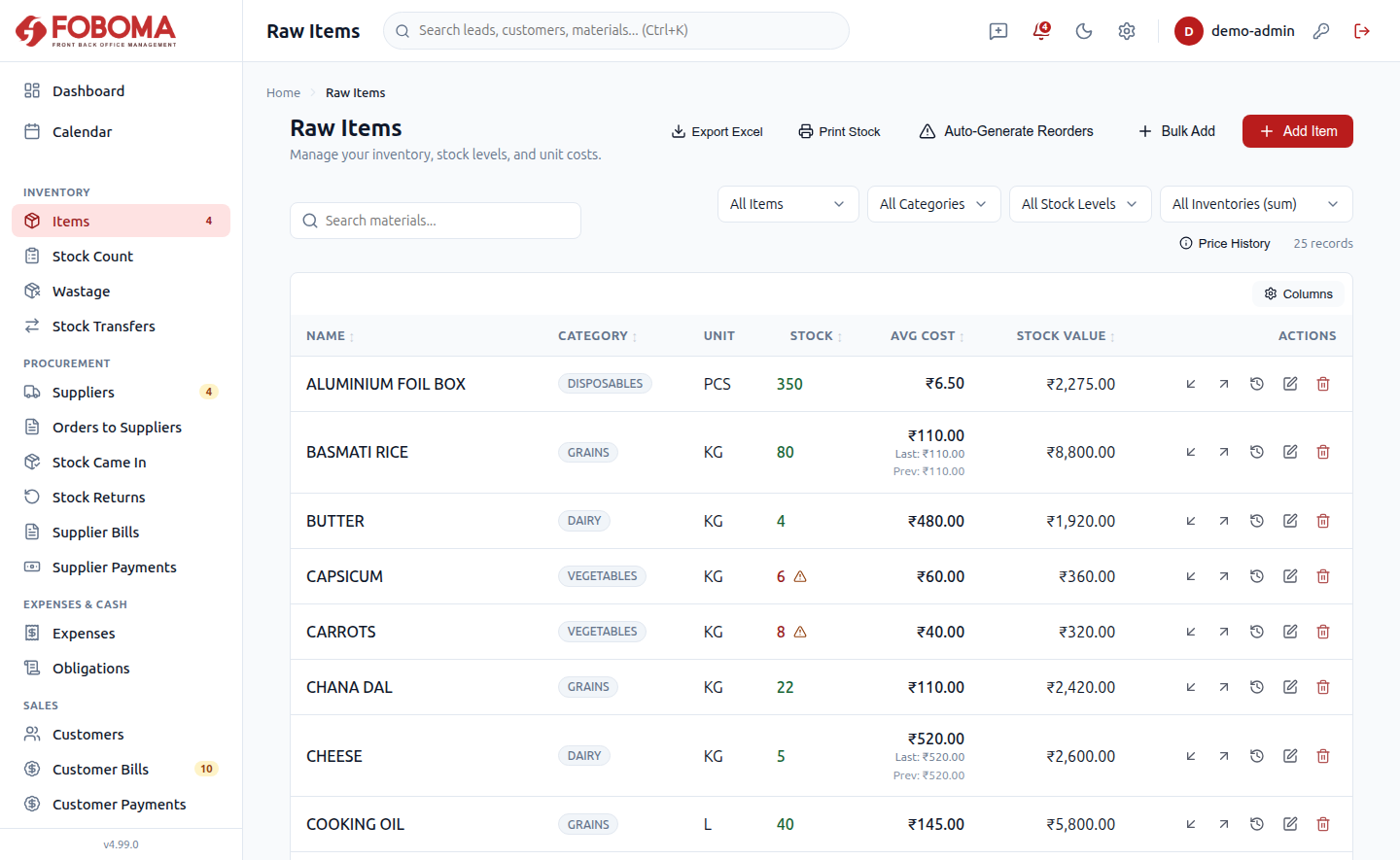
Materials master with multi-vendor price trail, stock held separately for each kitchen or store and moved between them, physical Stock Checks, and weighted-average cost (WAC) valuation with wastage recording.
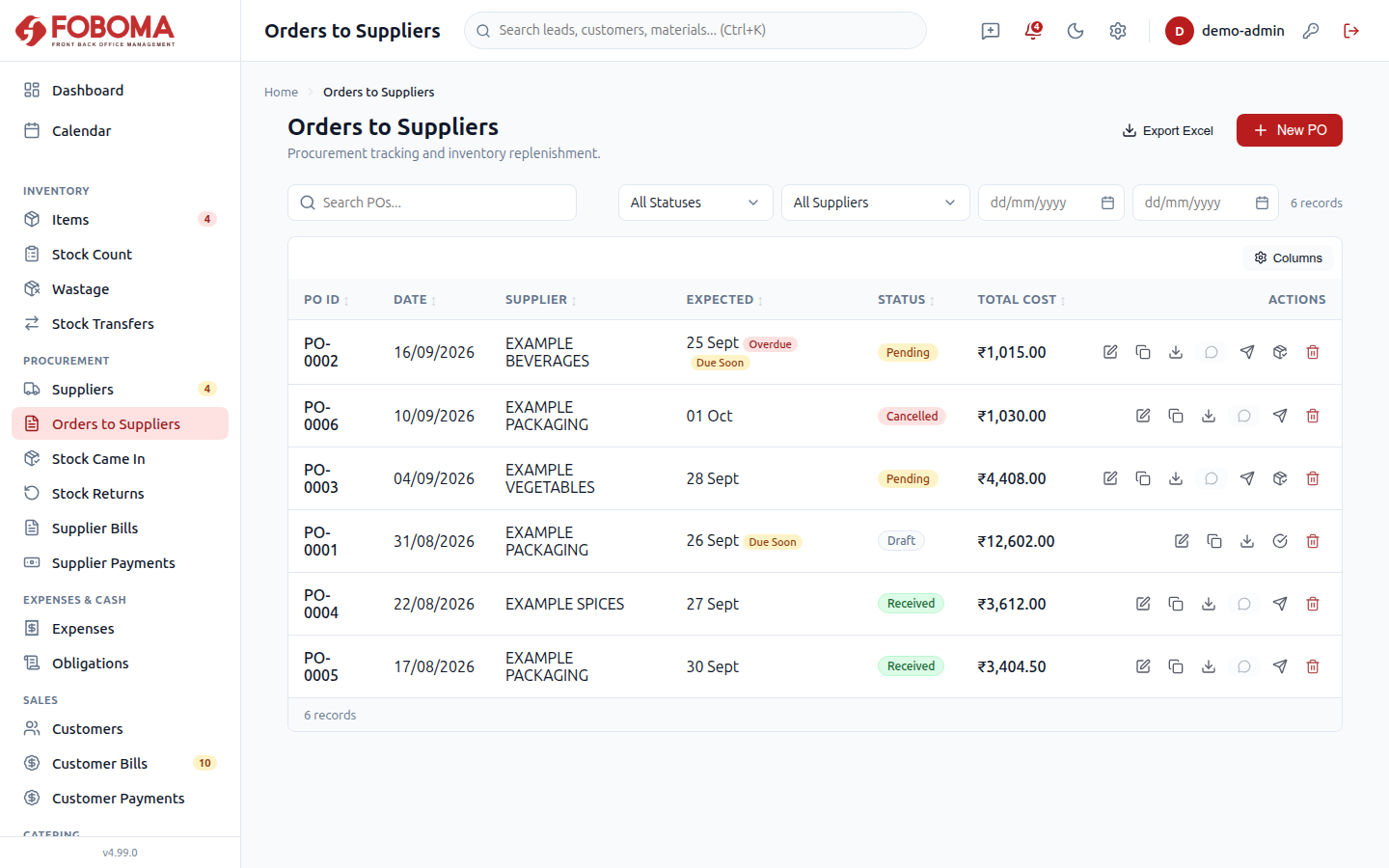
Vendors with scorecards, Purchase Orders (WhatsApp share + PDF), Receives that auto-update costing, Returns with credit handling, and vendor bills with FIFO bulk payments.
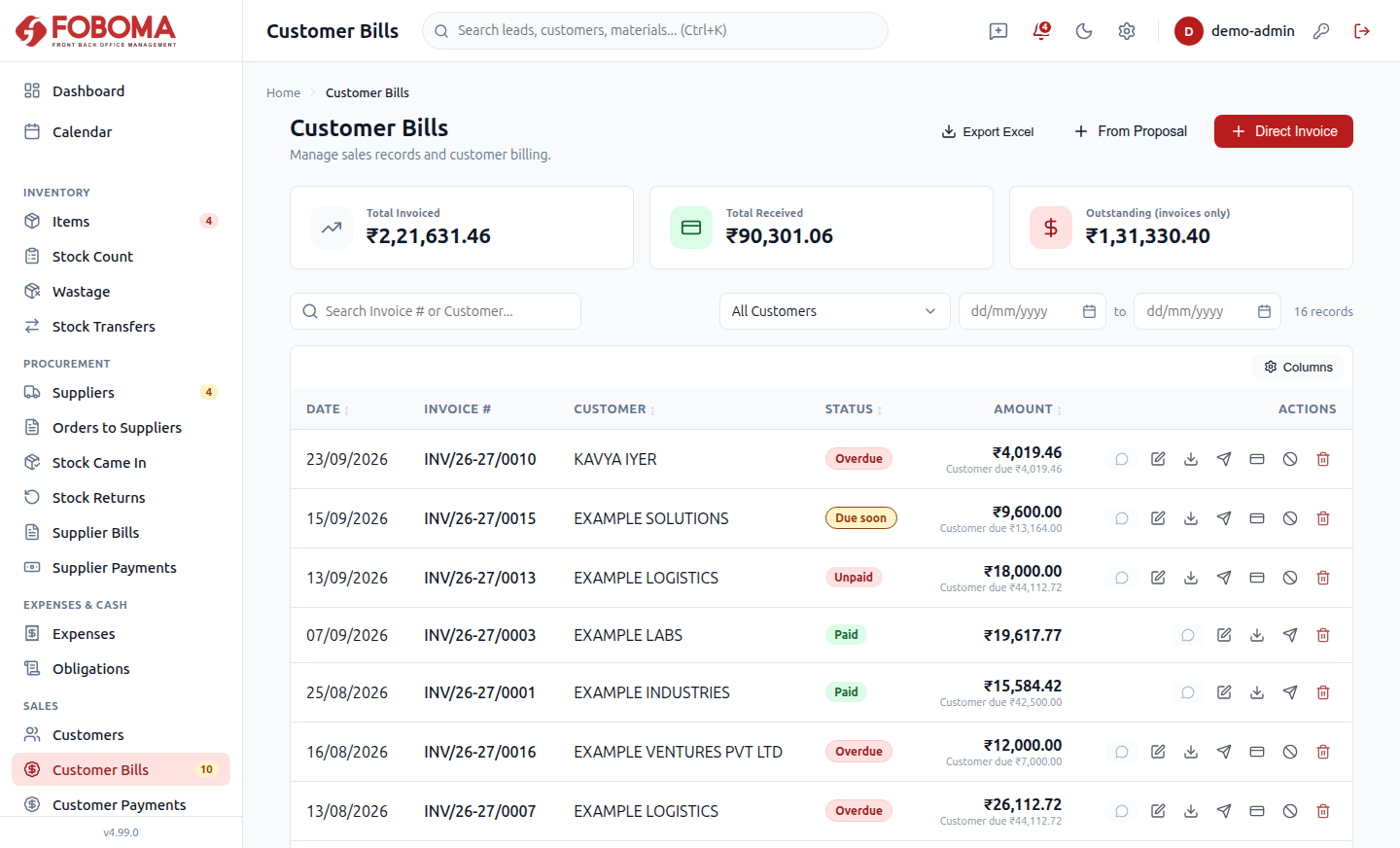
Customers with statements, GST invoices, payments and outstanding, Cash Close day-reconciliation, proposals/quotations, a leads pipeline, and a calendar view.
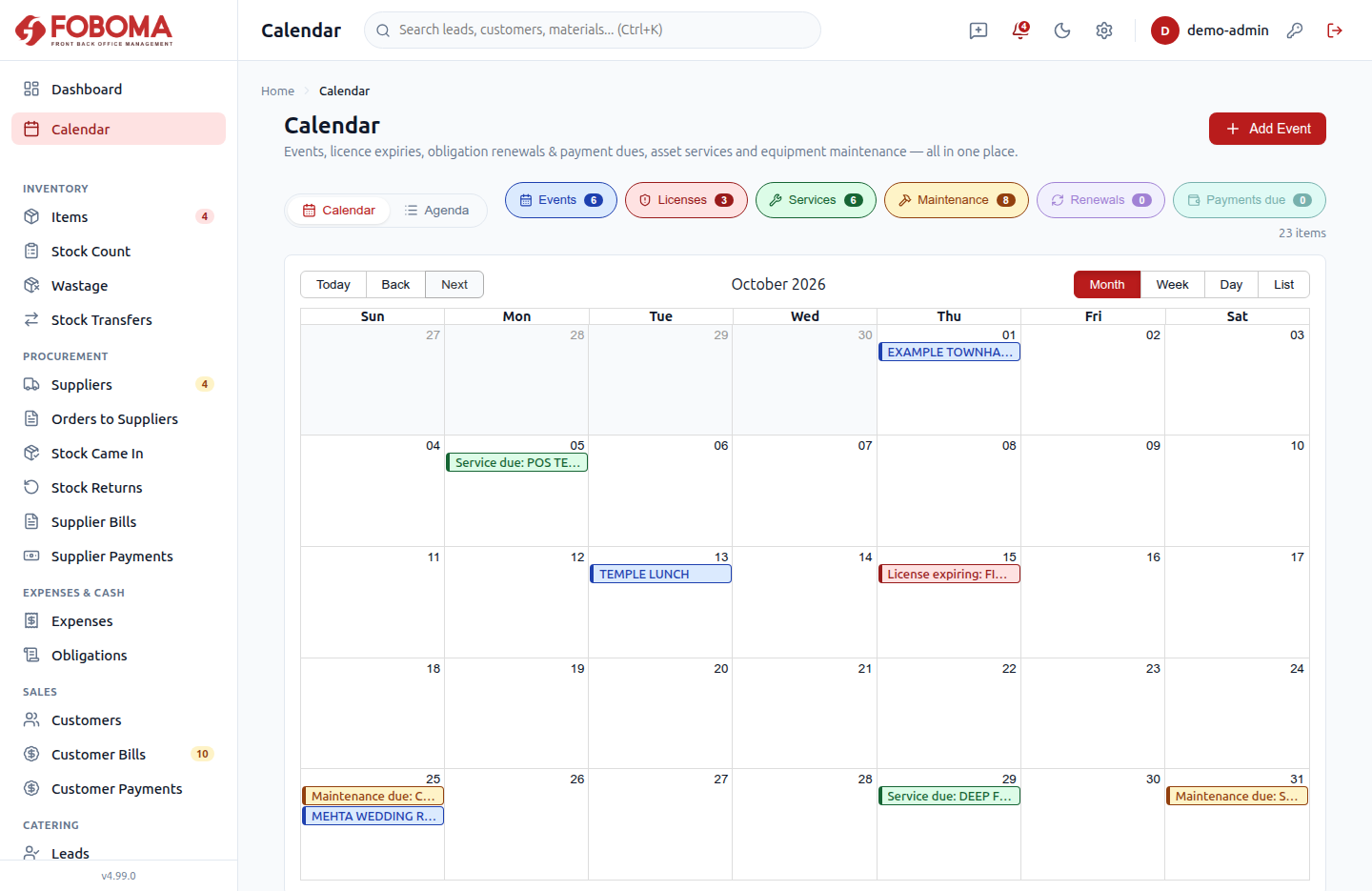
Event management and event staffing, equipment checkout and return, and catering deposits — the off-site and banquet side of the business, handled in one place.
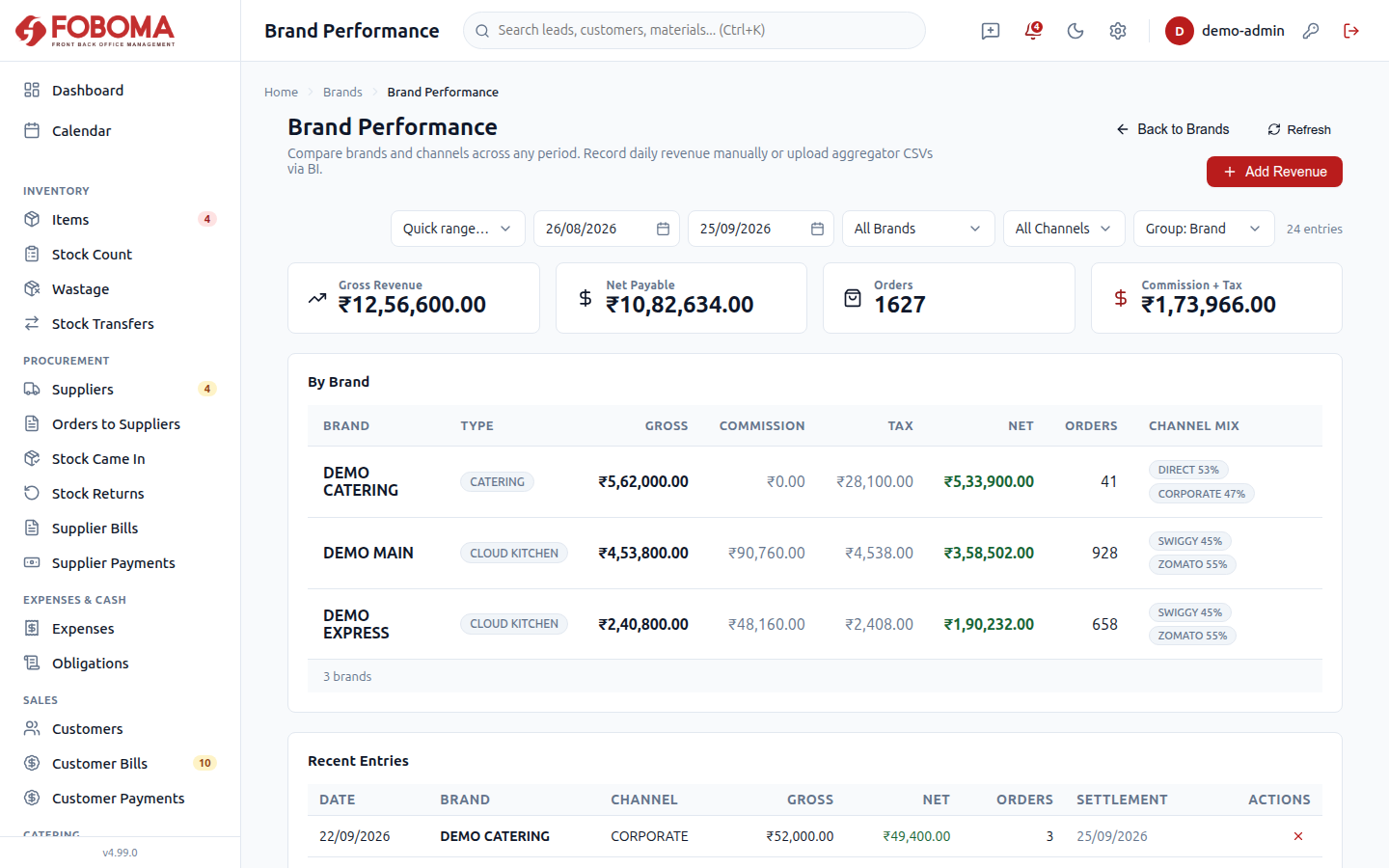
Manage several brands and platform IDs (Zomato, Swiggy and more) under one organization. Compare brands and channels side by side on revenue, platform commission and net payout, and view BI analytics for any one brand.
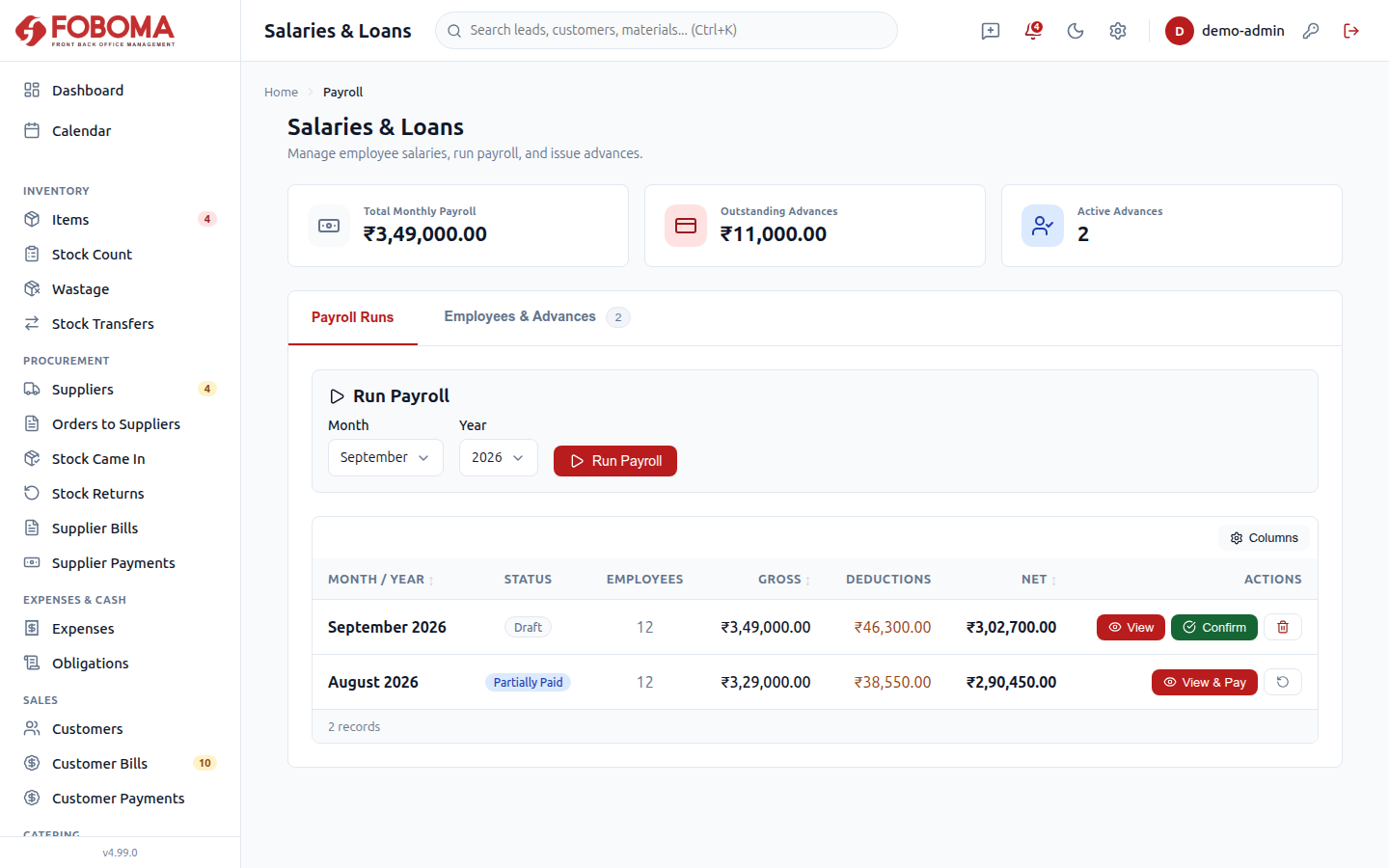
Employee records and documents, attendance, leaves, and payroll with PF/ESIC/PT — part payments, per-employee undo on a paid run, advances recovered once per slip, increments and settlements.
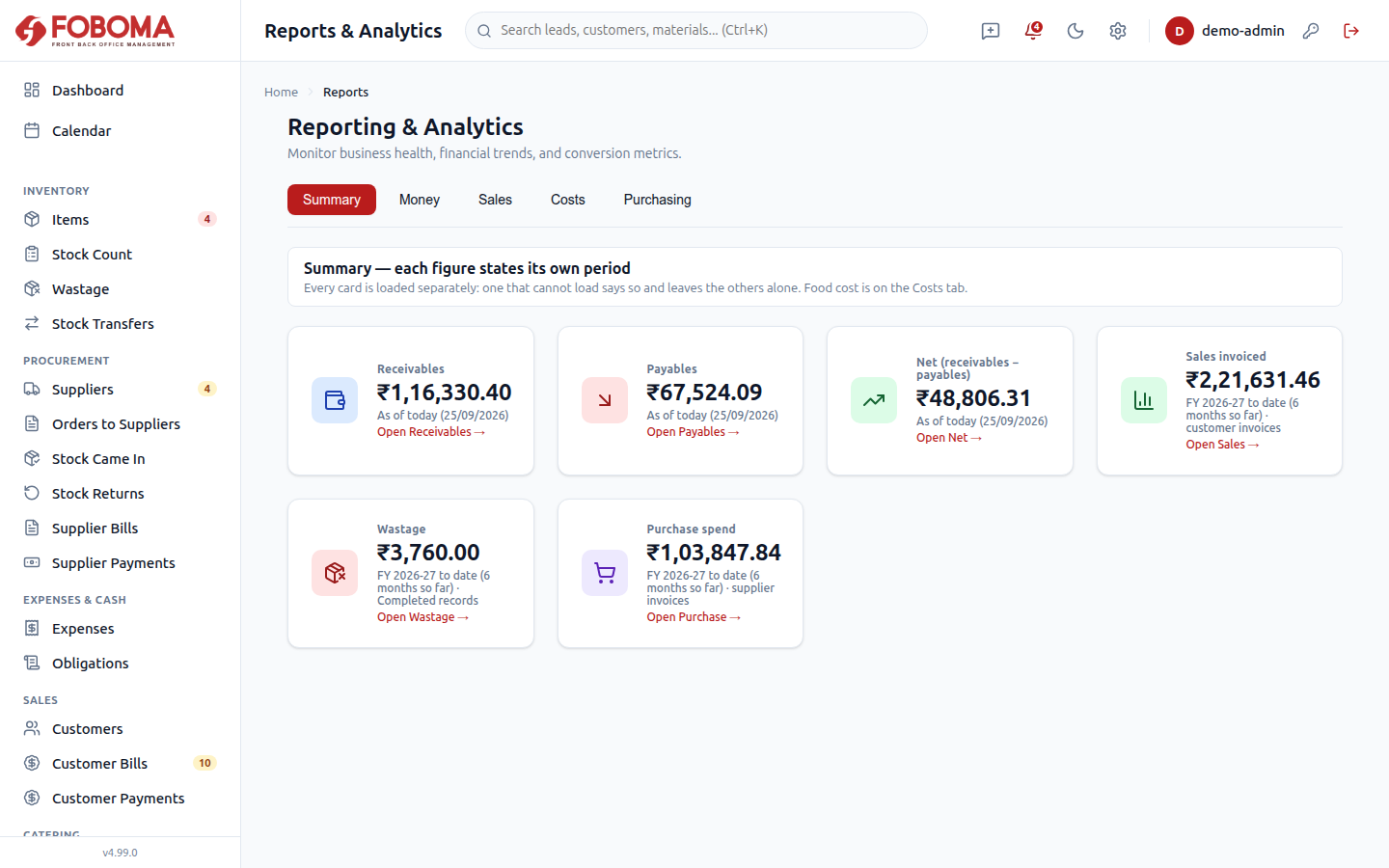
Reports in five tabs — Summary, Money, Sales, Costs and Purchasing — each stating its own period; Money shows cash position and ageing as they stand today. BI from uploaded Petpooja, Zomato and Swiggy reports. Excel exports from most list and report pages.
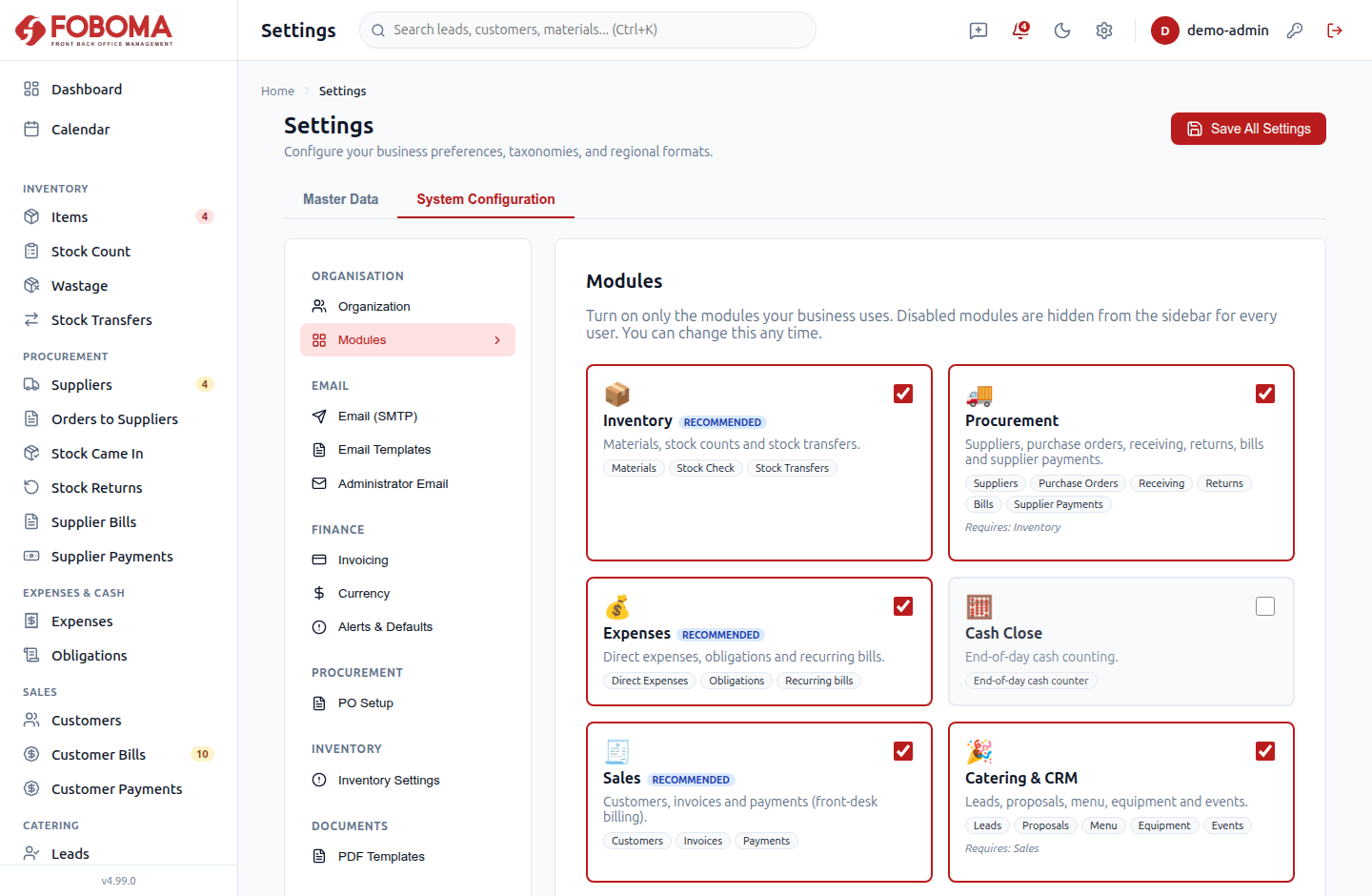
Role-based access with granular per-user permissions, an activity log of changes to the main records (viewable by admins), in-app feedback, and a built-in Help & Guide. Give billing staff access to sales and payments only — granular per-feature permissions, not all-or-nothing roles.
Screenshots show sample data: real screens, illustrative business, names and figures.
Also inside: licences & document expiry tracking, an assets register with service schedules and a total of your recorded assets at purchase cost, and a built-in Help & Guide.
Built for how
food businesses run.
If you're running a kitchen and still juggling Tally, spreadsheets, WhatsApp and paper bills, Foboma is the single place that pulls it all together.
Restaurants & cafés
Single outlet or a growing chain — front of house to back office.
Cloud & multi-brand kitchens
Several brands out of one kitchen, with platform orders and brand-by-brand comparison of revenue, commission and net payout.
Catering & events
Quotes, deposits, event staffing and equipment — the off-site business.
QSR & small-format
Fast counters that still need costing, billing and payroll.
The juggling act it ends.
- Stock, purchases, sales and staff data scattered across notebooks, Excel and accounting software.
- No clear view of food cost, wastage, or what each platform really pays you.
- Vendor bills, payments and outstanding balances tracked by hand — and getting lost.
- Attendance and payroll done manually, with PF/ESIC/PT compliance as an afterthought.
- Generic ERPs that are too complex, too expensive, and not built for how a kitchen runs.
Built for India, not retrofitted.
GST-native (CGST/SGST/IGST), PF/ESIC/Professional Tax in payroll, UPI and NEFT payment modes, Indian number grouping (₹1,00,000) throughout, and April–March financial year support — including in period-based reports — with auto-reset invoice numbering.
GST-native
CGST / SGST / IGST
Payroll deductions
PF · ESIC · PT calculation
UPI · NEFT
Indian payment modes
April–March FY
Auto-reset numbering
Four steps.
No implementation partner. Guided onboarding gets you from signup to running your daily operations — and seeing where your sales come from.
Set up your organization
A four-step setup wizard: your organisation details, the modules you want switched on (with three starting presets) and restaurant or accountant wording for labels.
Add your data
Add your materials from a spreadsheet using the downloadable template (up to 500 at a time), or one by one, then set up vendors, menu and staff.
Run daily operations
Purchases, stock, billing, attendance and catering — every transaction across every brand, in one place.
See the full picture
Dashboards, reports and BI show your sales by channel and platform, what each platform really pays you, and how your brands compare.
How your data is handled
Each customer runs on its own instance, and access is yours to control.
Sealed per business
Each customer runs in its own dedicated application instance, with its own database, file storage and credentials, so one customer's data is not held in the same database or storage as another's. Foboma operators can access instances for support and maintenance.
You control access
Role-based access and granular per-user permissions. Give billing staff access to sales and payments only — granular per-feature permissions, not all-or-nothing roles. An activity log of changes to the main records, viewable by admins.
Plans
We're finalising plans and pricing. Tell us how many brands and outlets you run and what you need Foboma to cover, and we'll come back with current terms.
Talk to usQuestions, answered.
What food-business owners ask before moving to Foboma.
Talk to the Foboma team.
Tell us about your food business. We'll reply within one business day — usually sooner.